
15% OFF SKETCHUP PRO SCAN + ADVANCED WORKFLOWS | USE CODE WORKFLOW15 Not valid on renewals*

SketchUpWhat’s new in SketchUp?

SketchUp
2027

[ our favourite
NEW features ]
Scroll for the full rundown
Section fill hatch patterns in SketchUp 2027
NEW Section fill hatch patterns

Hands up if you’ve ever sent a client a model, heard “Love it! Could the balustrade be a bit different?”, and felt your soul quietly leave your body.

Good news. SketchUp 2027 landed last week, and its headline act is all about making late changes painless. It’s one of the biggest releases in years, so let’s get stuck in.

In this post
What’s inside
1
SketchUp Procedures: edit it, don’t redraw it
2
Section fill hatch patterns: drawings that look like drawings
3
AutoFit Live Components: drop it and it fits
4
LayOut: faster, freer and a bit more fun
5
A Mac makeover and multiple models in one window
6
The little things we love
7
AI, built right in
8
Georeferencing and interoperability
9
So what does this mean for you?
1. SketchUp Procedures: edit it, don’t redraw it

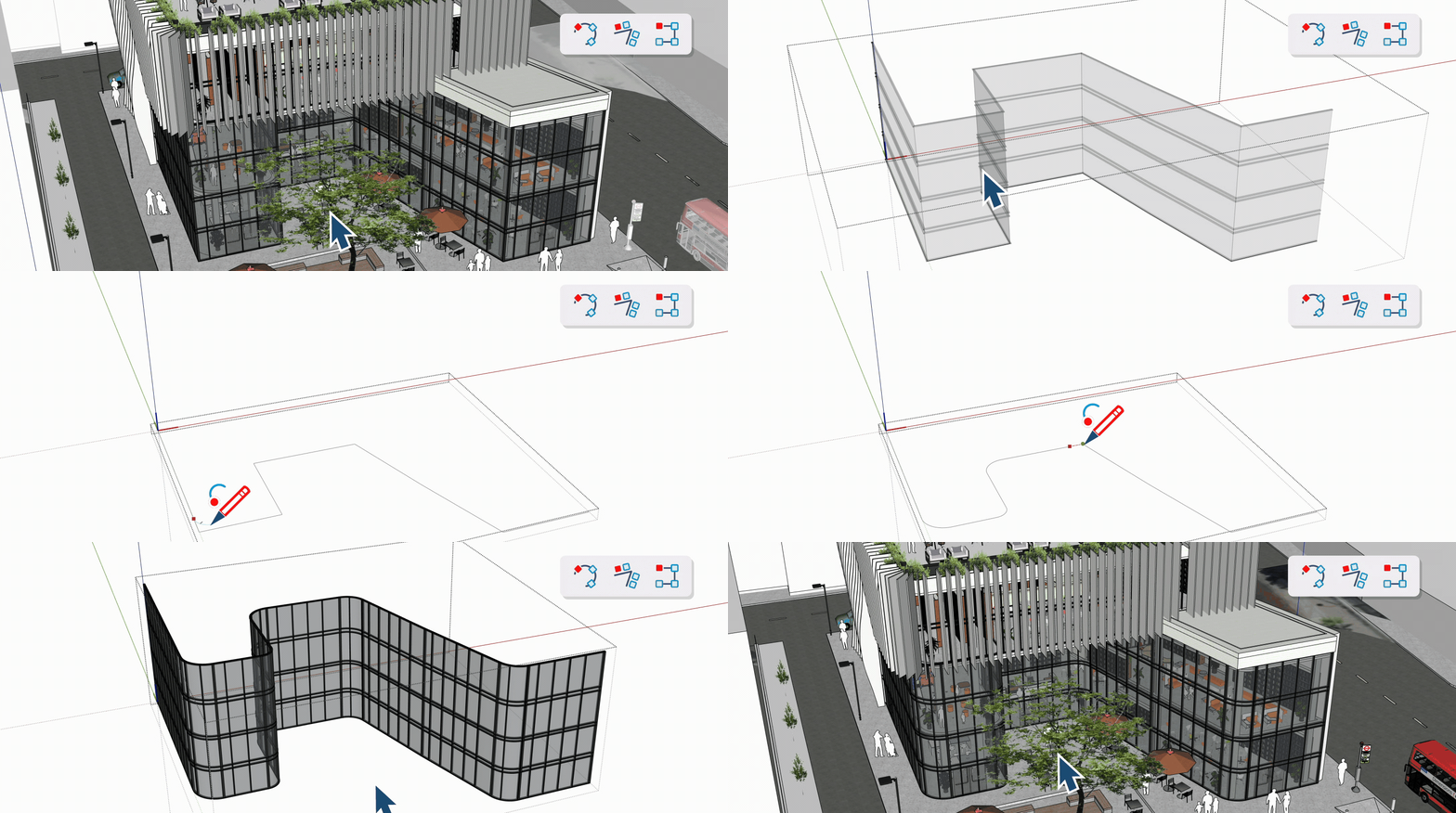
This is the big one. SketchUp Procedures bring native, non-destructive modelling to tools you already know. Instead of baking a sweep or a boolean into plain geometry, SketchUp 2027 keeps the inputs editable. Change the path, the profile or the spacing later and everything downstream updates.

There’s a new Procedures toolbar, and three tools are the stars:

Upgraded

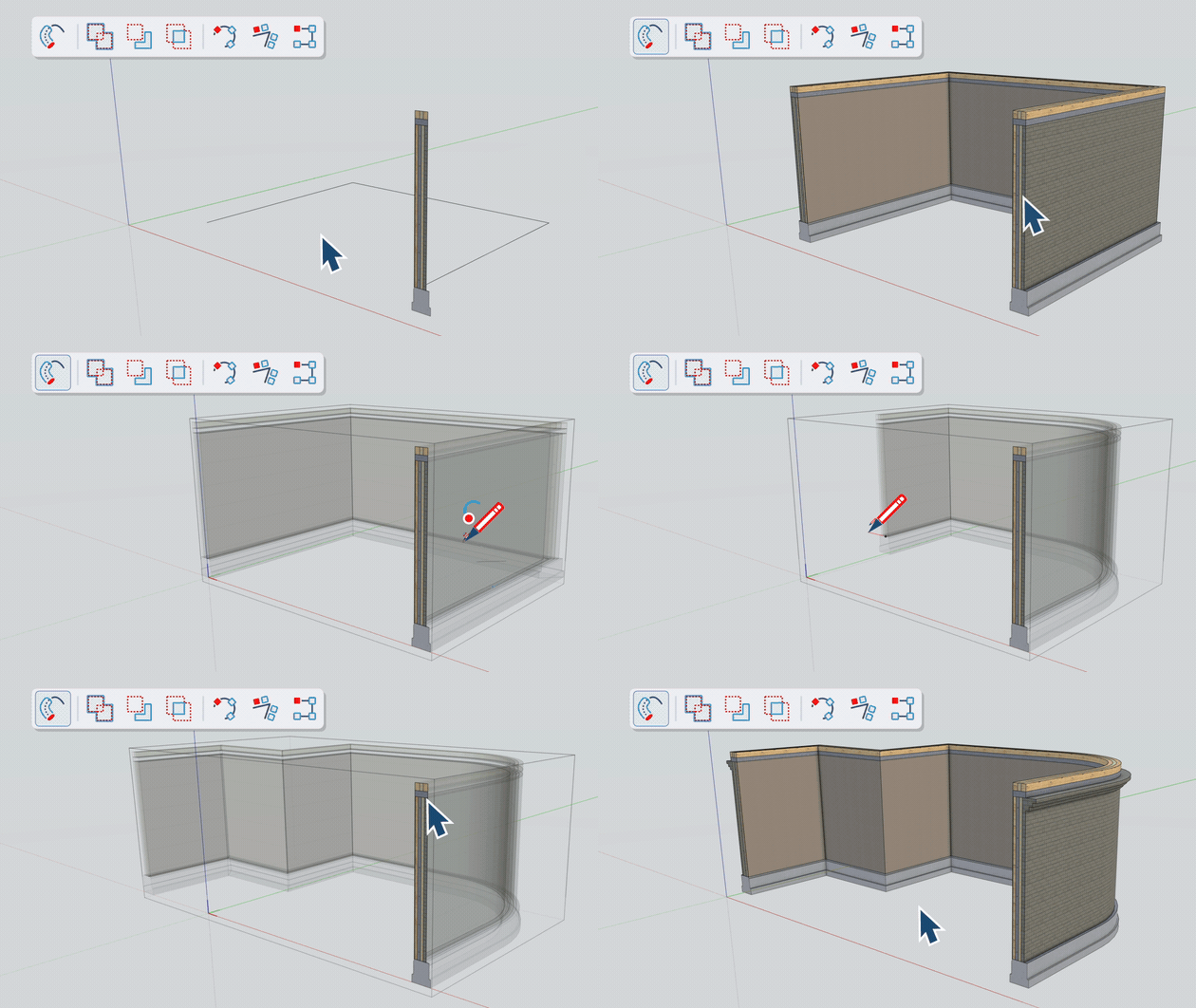
Follow Me

Now handles multiple profiles inside a group or component, and keeps your materials and attributes. Change the path or profile and your wall, railing or moulding reconfigures live.

New

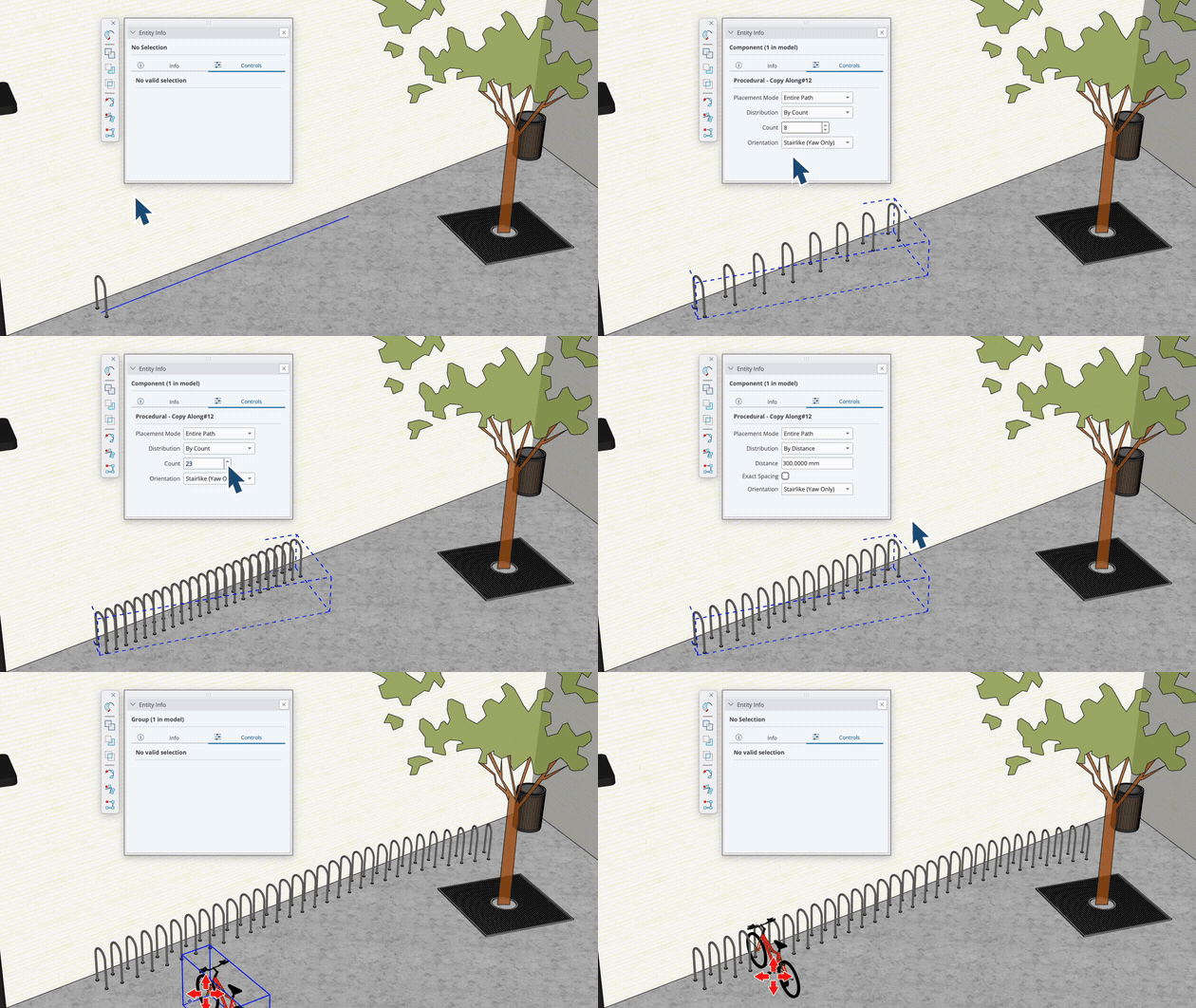
Copy Along

Duplicate groups or components along a path with adjustable spacing. Think facade blades, fence posts, bollards, pavers. Tweak the path or spacing any time. It's basically Follow Me for objects, no path-array extension needed.

Now
Procedural

Solid Tools

Booleans that stay editable, with Solid Collections so you can cut through multiple nested solids. Tags, classifications and metadata are preserved wherever possible.

The best part? Procedures stack, so complex assemblies get dramatically quicker to build and revise. And if you ever want to stop being clever, right-click and choose Explode to Inputs to lock the geometry in.

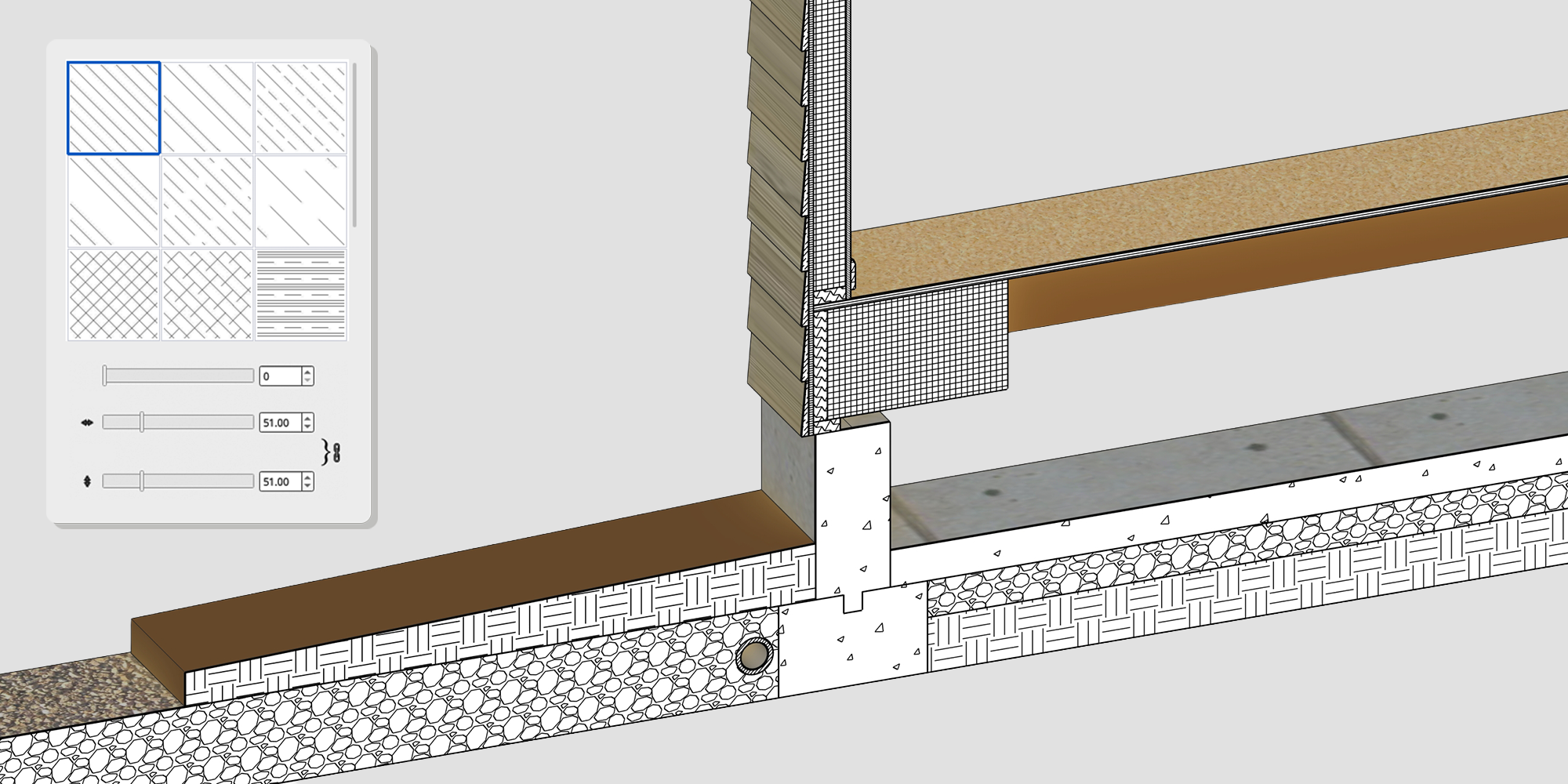
2. Section fill hatch patterns: drawings that look like drawings

Section Fill Hatch Example

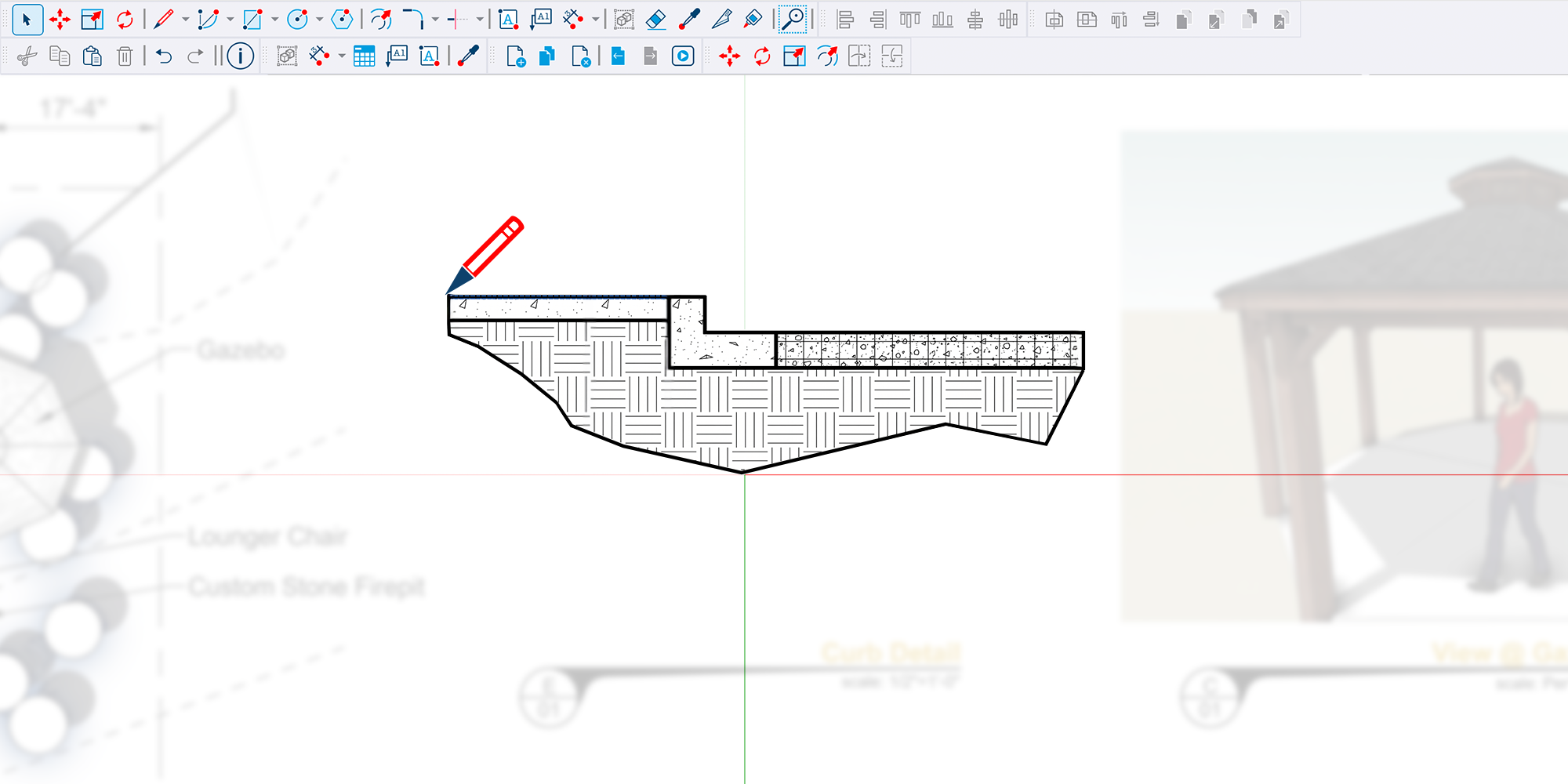
Section cuts just got a whole lot more professional. With the new Hatch Patterns panel, you can show concrete, insulation, timber and more as distinct, vector-based patterns in the same model and same view.

  • Assign hatches by object, material, section plane or style
  • Import your own patterns from .PAT files, images or .SKH files
  • Prefer the classic look? The Override Section Fill by Style option brings back a single uniform fill

If you’ve ever painted hatches on in LayOut or post-processed a section in a CAD package, this one’s for you.

3. AutoFit Live Components: drop it and it fits

AutoFit Live Components Demo

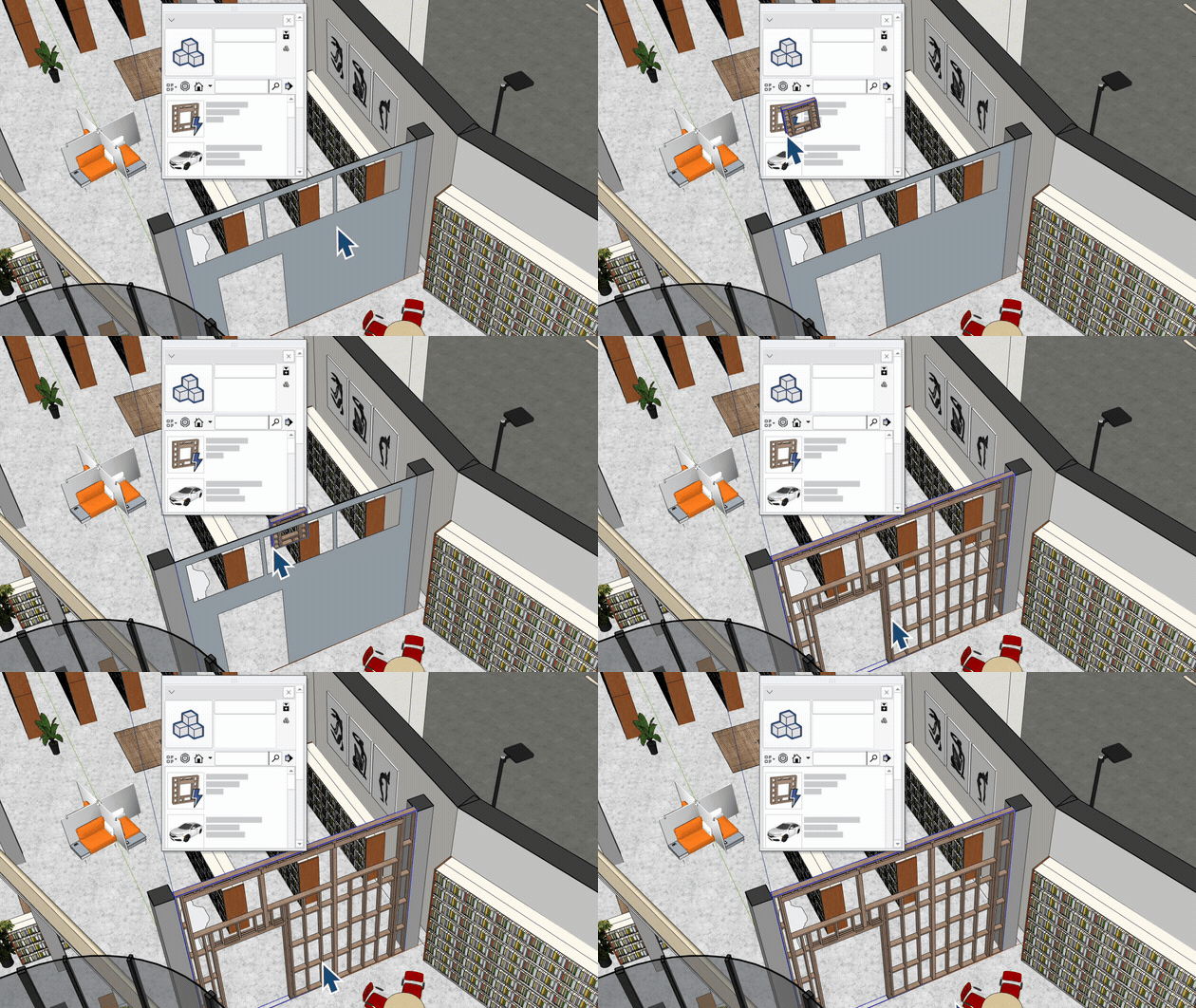
Drag a Live Component onto a face and it configures itself to fit, with a handy highlight preview as you hover. It even works on faces inside other groups or components, so no more opening, editing or exploding things first. You can adjust origin and alignment on the fly too, which is perfect for deck board direction or tile patterns.

It bridges the gap between quick massing and detailed design nicely.

4. LayOut: faster, freer and a bit more fun

  • Faster Hidden Line Rendering. A re-architected HLR engine slashes the time it takes to generate vector linework on complex models. Trimble reports heavy scenes can see rendering times drop by up to 85%, with faster vector PDF and DWG export. (It’s enabled by default as a SketchUp Public Labs feature, and you can switch back to the classic engine if you hit any trouble.)
  • Paperless Canvas / Draw Mode. Sketch and detail at full 1:1 scale with real-world coordinates before you worry about paper sizes. When you exit Draw Mode, LayOut converts your work into a scaled group.
  • Viewport Image Adjustments. Tweak opacity, brightness, contrast, hue and saturation on viewports, renders and images, non-destructively, without bouncing out to Photoshop.
Paperless Drawing Layout

5. A Mac makeover and multiple models in one window

Mac users, this is your moment. SketchUp and LayOut now share one unified interface across macOS and Windows, with dockable toolbars, dockable trays with multiple panels, and the revised Materials interface. Mixed Mac and PC office? Everyone’s finally looking at the same screen.

And on both platforms, the new Multiple Document Interface lets you:

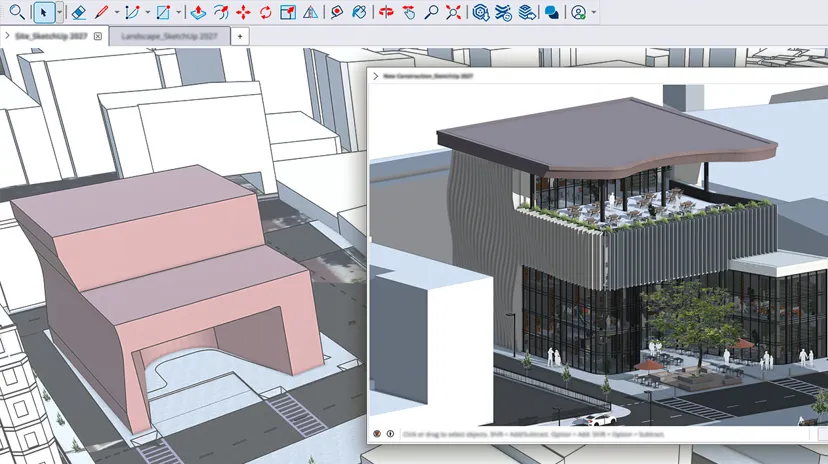
Tabs in one window

Keep several models open as tabs in one window (hover for a preview)

Floating windows

Drag a tab off into a floating window, even onto a second monitor

Copy and paste

Copy and paste between open models

Welcome Window

Keep the app running with a Welcome Window when you close your last model

One heads up: SketchUp 2027 on Mac needs Apple silicon. If you’re still on an Intel Mac, stay on SketchUp 2026 for that machine.

Small but mighty

6. The little things we love

Not the headline acts, just the small touches that make your day a bit smoother.

🗂️
Outliner Sort

Organise by Tags as well as hierarchy.

🖱️
Touchpad support

Now extended to Windows, with modifier keys for orbit and pan.

💎
Dockable Ruby Console

Dock it where you like, on both platforms.

📡
Scan Essentials
Studio · Windows

An editable SDB project format, automatic indoor and outdoor point cloud classification, and import of ReCap (.RCP), Trimble TDX and Gaussian Splatting (.PLY) files.

🔧
Extension developers

SketchUp now runs Ruby 3.4, so native C extensions need rebuilding, and there are new Procedures, Hatch Patterns and CRS APIs.

7. AI, built right in

SketchUp’s AI tools all work in 2027, and paid plans include a monthly allowance of AI credits.

  • AI Render: turn a model view into a photoreal or stylised image from a text prompt. Great for testing a direction with a client before committing to a full V-Ray or Enscape render.
  • AI Assistant: ask how-to questions without leaving your model (Help questions are free), or use Generate Object to create a 3D object with PBR textures from a text description or image.
  • Generate Textures: describe a surface, get a usable PBR material.
  • SketchUp Connector for Claude: model conversationally by chatting with Claude, which works with your SketchUp model.

Credits per month: 100 with Go, 150 with the Pro plans, 200 with Studio. The free plan has no AI credits, and the AI features are English-only.

Taking AI Render further

Ready to go beyond a quick concept render?

AI Render is brilliant for testing a direction with a client. When you want to take it further, whether that’s a real-time walkthrough, a final photoreal image or an AI-generated visual, the Chaos family has you covered.

Enscape

Real-time rendering that runs right alongside your model. Great for walkthroughs and quick design reviews.

V-Ray

Photoreal rendering for your final images and animations, when the client wants every detail.

Veras

AI visualisation that turns your model into images and animations, now included with Enscape and V-Ray.

8. Georeferencing and interoperability

If your work crosses into survey, civil or BIM territory, 2027 has plenty for you:

  • Coordinate Reference Systems (CRS) in Add Location: geolocate using your project’s coordinate system, set the Project Base Point by Easting and Northing, and model near the origin while SketchUp corrects for True North.
  • DWG/DXF: new tessellation controls (angular deviation, chordal tolerance, max edge length), annotation import options for text, dimensions and hatches, and a choice of smooth (SubD) or flat-faceted (Polyface) 3D export.
  • IFC and TrimBIM: rebar import, IfcLamp and IfcOutlet export, choose whether tags come from IFC classes or layers, TrimBIM now matches IFC’s feature set, and CRS info is included automatically on IFC export.

9. So what does this mean for you?

Features are great, but how do they land in your day job? Here’s how the 2027 toolkit plays out across the industries SketchUp users work in. Spot your industry? That’s the one to try first.

📐
Architects
Flip for your first tip
Architects
Start with: Follow Me

Reshape multi-layer walls, array site furniture and carve building forms without rebuilding. Then keep documentation moving with a consistent interface on Mac and Windows.

🏪
Retail
Flip for your first tip
Retail
Start with: Copy Along

Make store rollouts smoother with quicker revisions after stakeholder feedback, editable fixture arrays and faster file exports.

Start hereWhat should you try first?Hover over or tap a card to find out
🛋️
Interior designers
Flip for your first tip
Interior designers
Start with: Follow Me

Build trim, moulding and cladding non-destructively and keep iterating on custom details. Polish presentation images right inside LayOut and flick between open files with ease.

👷
Construction
Flip for your first tip
Construction
Start with: Follow Me

Adjust wall assemblies on the fly while every layer stays editable. Produce accurate drawings faster with hatch patterns, draft in 2D without page limits and compare details across open models.

🌳
Landscape designers
Flip for your first tip
Landscape designers
Start with: Copy Along

Array and modify site furniture and landscape elements freely, and move through documentation and standard file formats (hello, DWG) more efficiently.

How do I get it?

If your subscription is active, SketchUp 2027 is included. Sign in with your Trimble ID and download it. No upgrade fee.

New to SketchUp? Try it free or explore plans

Over to you

Which 2027 feature are you most excited about? Procedures? Hatches? Finally having tabs?

Follow us on socials and let us know!

And if you want help moving your team over, contact the SketchUp Australia team.

Get in touch

Ready to get started with SketchUp?

Talk to the team about licences, training and the right SketchUp plan for you, or try it free first.

Start a free trial
Follow along!

See it on Instagram

Tips and tricks, user spotlights and all things SketchUp.

Follow @sketchup_australia

Also find us on LinkedIn, Facebook, YouTube and TikTok